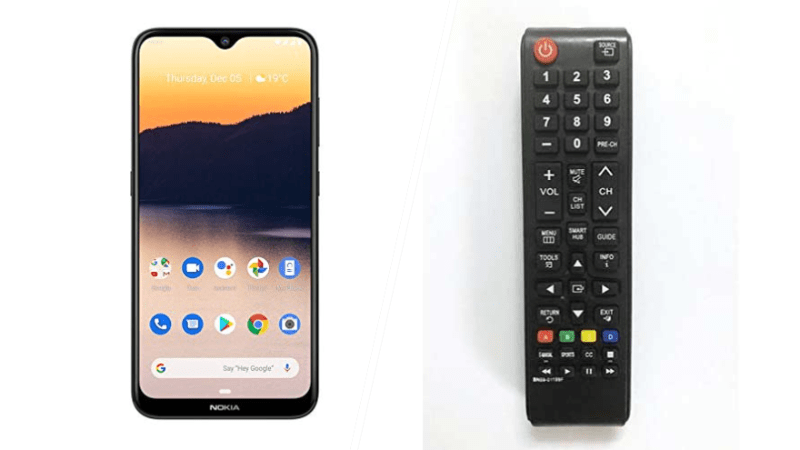
Here’s how can use your Android smartphone as a TV remot.
Here’s how can use your Android smartphone as a TV remote; In this era of technological advancement, everything is possible. Your android smartphone is not only for making calls and chatting. It can also serve the purpose of a tv remote as well. Wondering how you’re going to do this? Find out now.
Here’s A simple guide to setting up:
Google play store, which app is suitable?
- First and foremost, go to the Google Play Store and, if your TV is android , download the Android TV Remote Control app.
- On your downloaded app, search for your TV. Make sure the two devices are in close proximity.
- If your Smart TV was made by a different manufacturer, there are other universal remote control apps that you can download from the Google Play Store. Once you have the app, you can also search for your TV.
How to configure your TV with your smartphone?
- The next step is to configure your TV with the app you’ve just downloaded on your smartphone. Before attempting this step, it’s best to make sure both devices are connected to the same WiFi network.
- By selecting your TV from the app on your Android phone, you can configure both devices by entering a pin that is shown to you.
- Once you are connected, your phone is now your TV remote and the display will show various buttons, similar to those you’d find on the traditional TV remote.
- From there, you can click through to access your favourite channels and apps and shows.
If having problems during this process, it is important to note that keeping the two devices in close proximity makes it easier to set up. Also, always make sure that there aren’t many objects in the way.
source: https://www.marca.com/
READ ALSO:
This is how to hide your phone number when making calls on MTN: Now it is easy to hide and unhide your number when making calls, this service from MTN allows you to call someone with a service called MTN CLIR/SO. This offer costs GHS2 every month.
To activate the Caller Hide ID on your MTN line, follow the steps below:
- Dial 1333
- Set a new pin code
- Confirm the pin code
- Create a new SMS and type clir<Space>activate<space>pin
- Send the to 1333
- The Caller Hide feature will be activated…Read more..